Spyware and surveillance
Recognising when your devices, communications or meetings may be monitored, from spyware to physical surveillance, and the basic counter-measures that help.
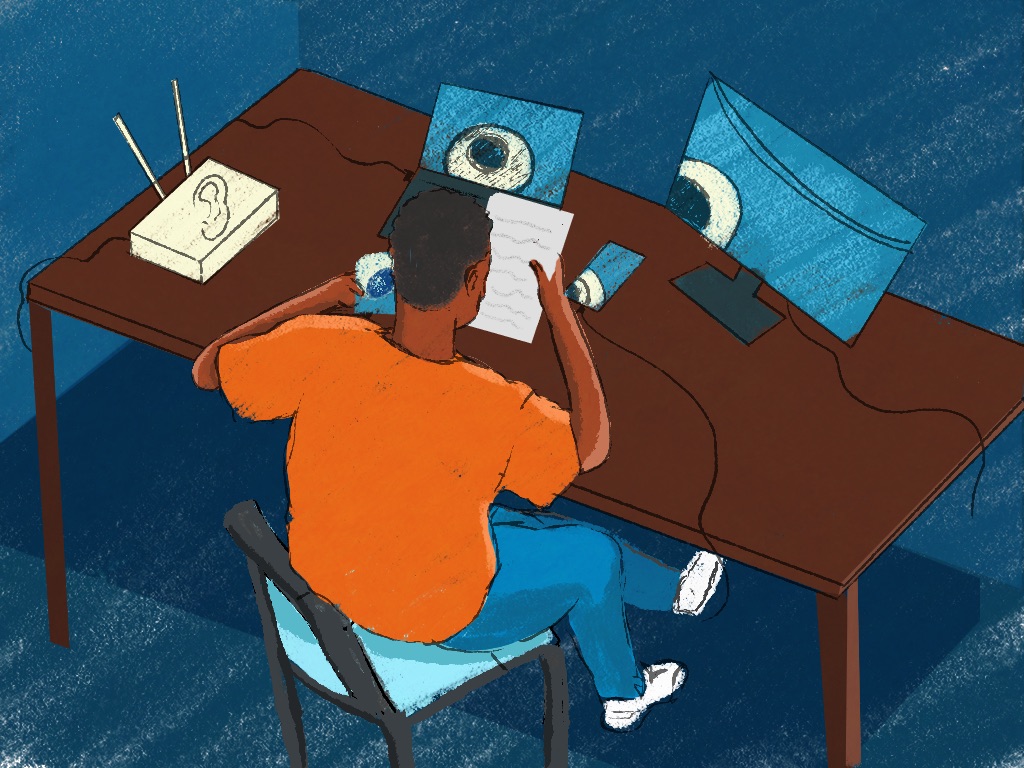
Samuel directs a legal aid organisation in Addis Ababa, Ethiopia, and his phone holds years of messages with clients and partners. One evening a warning he has never seen before appears on it: Apple says he may have been targeted by mercenary spyware. He doesn’t reset the phone or delete anything. He signs in to his Apple account on his laptop to check the warning is real, moves the next day’s client calls to another phone and contacts a helpline.
Most people will never get a warning like Samuel’s (Apple). Other kinds of surveillance are far more common (Digital First Aid Kit), and a few habits make each of them harder.
The main kinds
Spyware is software that secretly watches a phone or computer: it can read messages, record calls, switch on the microphone and camera and track where the device is (SIIRF). It ranges from cheap apps to tools sold to governments. These are the kinds that reach groups like yours:
- Phones and computers seized and searched. Forensic tools can unlock a seized phone and copy everything on it, and some phones have come back with spyware installed (Summit Against Spyware). In Kenya, an activist’s phone came back from police custody with its password protection removed after such a tool was used on it, and Citizen Lab has documented the same tool used on devices in police custody in Jordan and Serbia (Citizen Lab). Two Kenyan filmmakers’ phones came back with commercial spyware on them (CPJ), and in Nigeria, journalists whose newsroom computers were taken in a raid later found their social media accounts being tampered with (Abubakar, Journal of African Media Studies).
- Stalkerware. An app that secretly reports what a phone does, installed by someone who had it in their hands, often a partner or a relative. It’s easy to buy and needs no technical skill (Coalition Against Stalkerware).
- Mercenary spyware. The expensive kind, such as Pegasus, sold to governments; some of it arrives without a click (SIIRF; Apple). Traces typical of Pegasus were found on two journalists’ phones in Togo (RSF), and Apple has warned people in over 150 countries (Apple).
- The phone network. Your mobile operator knows roughly where your phone is whenever it’s on, and keeps records of who called or texted whom. Ordinary calls and texts aren’t protected (EFF; Digital First Aid Kit). Governments can demand those records, including a list of every phone in one place at one time, such as a protest (EFF). By 2019, 50 African countries required SIM cards to be registered with an ID, which ties a number to a person (Privacy International).
Surveillance can be physical too: a tracking device hidden near you, or someone watching the office (Digital First Aid Kit).
Keep it in proportion. Everyone is watched a little by phone networks and online services, while targeted surveillance takes money and effort and is aimed at few people (Digital First Aid Kit). The Digital First Aid Kit warns that feeling watched all the time “can lead to paranoia and affect our emotional capacity to deal with actual threats we may face” (Digital First Aid Kit). Taking sensible steps early brings peace of mind as well as protection (Summit Against Spyware).
Why groups like yours are targeted
Surveillance tops the list of digital threats that defenders report. In 2025, online surveillance or censorship made up 12.8% of the digital violations reported to Front Line Defenders, phone surveillance 11.2% and confiscated or destroyed devices 7.9% (Front Line Defenders). Apple says the people it warns are targeted “likely because of who they are or what they do”, often journalists, activists, politicians and diplomats (Apple). What attackers want is what your phones hold: conversations, contacts, sources and where people are (SIIRF). Across Africa, spyware aimed at civil society has spread fear and self-censorship (Summit Against Spyware).
Signs to take seriously
- a threat notification from your phone or account provider, such as Apple’s (SIIRF)
- a phone that comes back with its lock removed or changed, or with apps or device management profiles you didn’t add (Citizen Lab; SIIRF)
- someone who knows things they could only have learned from your phone, or a partner or relative who suddenly seems to know too much (SIIRF; Coalition Against Stalkerware)
- on an iPhone, an iCloud Backup you didn’t turn on (Coalition Against Stalkerware)
- people around you who were targeted (Digital First Aid Kit)
- a battery that drains fast or a phone that runs hot, though these usually have innocent causes, and some spyware shows no signs at all (SIIRF; Coalition Against Stalkerware)
Signs are only a guide, in both directions:
Devices belonging to users who are convinced they have been hacked may show no forensic evidence of infection, while users who believe they are safe may, in fact, have been targeted.
Second Summit Against Spyware, UC Irvine International Justice Clinic
That’s why a forensic check, an expert examining a phone for traces of spyware, settles it better than guessing (Summit Against Spyware).
Habits that protect
- Keep everything updated. Phones, computers and apps. Most spyware relies on known flaws that updates fix (SIIRF). Phones and laptops covers updates and app permissions.
- Install apps only from the official stores. Check regularly what each app is allowed to use (SIIRF).
- Lock phones quickly, with a passcode that’s hard to guess. Stalkerware usually needs someone to hold your unlocked phone, so set it to lock after about 30 seconds and never leave it open (Coalition Against Stalkerware).
- Move sensitive talk to end-to-end encrypted apps. Ordinary calls and texts aren’t protected (SIIRF; Digital First Aid Kit). Secure messaging explains what that protects.
- Give people at higher risk the strongest protection. That’s Lockdown Mode on an iPhone and Advanced Protection on Android 16, which also stops the phone using 2G, the weak spot that fake phone masts exploit (Apple; EFF; Digital First Aid Kit). Lockdown Mode changes how some files, websites and features work (Access Now). Advanced Protection changes less, and some of its features depend on who made the phone (EFF).
- Keep a clean device for the most sensitive work. Keep it separate from the phone you use every day (SIIRF).
- Know your helpline before you need it. Access Now’s Digital Security Helpline answers day and night in 10 languages. RSF’s Digital Security Lab checks journalists’ phones (RSF), and Citizen Lab may be able to help civil society with a forensic check (Citizen Lab). Have the phones of people at higher risk checked now and then, not only when something seems wrong, because checks find what has already happened (Summit Against Spyware).
To roll out Lockdown Mode or Advanced Protection, start with one or two people at higher risk, perhaps you and your director. Turn it on together, note what stops working, and show them how to switch Lockdown Mode off for a single website that breaks (Access Now). Take questions in the team chat, and check each quarter that it’s still on. Phones and laptops has the settings.
A device that was out of your hands
Treat a phone or laptop that was taken from you, at an arrest, at a border or by a partner, as untrusted until it’s checked, and don’t use it for sensitive work in the meantime (Summit Against Spyware; Citizen Lab; Coalition Against Stalkerware).
- Look for the basics: a lock that was changed or removed, new apps or profiles, and sign-ins you don’t recognise on the accounts it holds (Citizen Lab; SIIRF).
- Don’t reset it before it’s examined: that destroys the evidence (SIIRF; Citizen Lab).
- Change the passwords of the accounts that were on it, from a clean device (Citizen Lab).
- Have it checked by a helpline or a forensic expert (Citizen Lab).
Device lost or seized covers the first hours, including why not to wipe a phone after an arrest without legal advice. Travel and border crossings covers what to carry.
If you get a threat notification
- Take it seriously, and check it’s real. Sign in to your account directly, never through anything in the message. Apple’s notifications never ask you to click a link, open a file, install an app or give a password or code (Apple). A fake warning can itself be phishing (Digital First Aid Kit).
- Move sensitive conversations to a clean device. Stop using the phone that got the warning for anything sensitive (SIIRF).
- Don’t reset the phone. An expert needs the evidence on it (SIIRF).
- Get expert help. Apple suggests Access Now’s helpline, which answers 24 hours a day (Apple).
- Think about who else may be exposed. Sources, partners and colleagues may need a warning; send it once the expert advises (SIIRF).
If the trouble started with a link or a file, see Clicked a bad link. Whoever leads the response can follow SIIRF’s Spyware & Surveillance playbook.
Stalkerware needs a different kind of care
Stalkerware is usually one part of abuse by someone close. Removing it can alert them and make things worse, and it deletes evidence, so safety comes first: a plan made with a support organisation, using a device the abuser hasn’t touched (Coalition Against Stalkerware). Once the person is safe and the evidence is kept, a new phone is the surest fix, and a factory reset is almost as good (Coalition Against Stalkerware).
Your part is to believe your colleague and help them reach specialist support, rather than to investigate (Coalition Against Stalkerware). Online harassment and abuse covers supporting someone who’s targeted. Stalkerware isn’t only a domestic threat, either: the product found on the filmmakers’ phones markets itself to parents and employers (CPJ).
Meeting safely
- For a sensitive meeting, leave phones in another room or at the office. Everyone switching their phone off at the same moment can itself show that a meeting happened (EFF).
- Meet in a room away from the main workspace, and keep visitors to a reception area (Security in a Box).
- Plan for the most exposed person present: everyone in the group carries their risk (Security in a Box).
- Be wary of internet-connected cameras and gadgets in the room, which can be used to spy (Security in a Box).
- Online, turn off recording and AI note-takers for sensitive meetings (Video calls).
Supporting the person
A warning, or a check that finds spyware, can be very distressing, and the people they’ve been in touch with may need warning too (SIIRF). Tell them plainly that nobody is to blame: people are likely targeted because of who they are or what they do (Apple). Take on the calls to the helpline and the list of people to warn yourself. If someone doesn’t want their phone checked, respect that (Summit Against Spyware). Watch for worry that lingers: some people pull away from digital tools altogether (Summit Against Spyware). Well-being and care has more on what helps.
Teach it to your team
A session of about 30 minutes.
- Prepare: your helpline’s contact details, and a phone or two whose owners are happy to look at settings together.
- Exercise: read out Samuel’s evening from the top of this guide and ask what he should do next and what he should avoid. For a longer exercise, play level 3 of SIIRF’s Chips Down, which opens with a spyware warning on the director’s phone. Finish with everyone checking their own phone for updates and how quickly it locks.
- Three questions: What do you do first if your phone shows a threat notification? Why not reset a phone you think has spyware? What happens to a phone that comes back after being taken?
- Afterwards: offer one-to-one help to anyone at higher risk who wants Lockdown Mode or Advanced Protection, and take questions in the team chat.
More in Common Risks
Doxxing
When someone publishes your staff's home addresses, phone numbers or family details to intimidate them, and how to shrink what can be found in the first place.
Online harassment and abuse
Harassment and intimidation campaigns aimed at your staff, including by extremist groups, and how to support the colleagues on the receiving end.

Social engineering
When someone lies their way in by phone, message or in person, pretending to be a colleague, a funder or tech support.